Google Ads – 5 things you should be checking regularly
Our Google Ads starter package helps you to get off to a good start with advertising on Google. Having a qualified Google Ad’s expert set up your account can help you avoid costly mistakes and optimise your campaigns to get the best return on your advertising spend.
Now that the setup is done, what are the things you should be checking on a regular basis to maintain an effective Google Ads account?
While much of your Google Ads account can be automated (such as your maximum cost per click, your monthly budget, and when and where your ads are showing up) it is a good idea to at least be checking your account regularly to make sure it’s as optimised as possible.
Here are five things that you should be manually checking at least once a week. Once you get the hang of it, you’ll be able to do these checks in just a matter of minutes — it’s time well spent!
Download the 5 Point Worksheet (PDF)
1 – Review your search terms
Keywords are the search terms that trigger your ad to show to potential customers. Thankfully, Google is smart enough to consider your ad if someone enters a search phrase that is related to a keyword listed in your account (unless you’re using exact match), otherwise your keyword lists would be massively long with every possible variation of a word or phrase. However, sometimes Google goes a bit far and presents your ad for something that is irrelevant to your business. This can result in a wasted click.
This is why it’s important to check the search terms report to see if you’re getting any clicks or impressions (ad views) for phrases that are irrelevant. If you are, select them and add them to a negative keywords report to prevent this happening in the future.

Alternatively, you might choose to add a well-performing and relevant keyword to your keyword list, allowing you to increase your maximum CPC for this phrase, as an exact match (or some other type of bid adjustment).
Got your conversions set up?
One of the most important aspects of running successful digital ad campaigns is having good conversion goals setup and working. If you don’t have this, then stop your ads and get this sorted first. With your conversions, they should be legitimate and lead to actual revenue, not just junk leads or time wasters.
If you need any help planning and implementing ad conversion goals, just get in touch.
2 – Converting keywords
If you’ve set up a conversion goal on your website then it’s good knowing what keywords are leading to conversions. This is one of the principal components of a well-constructed Google Ads campaign.
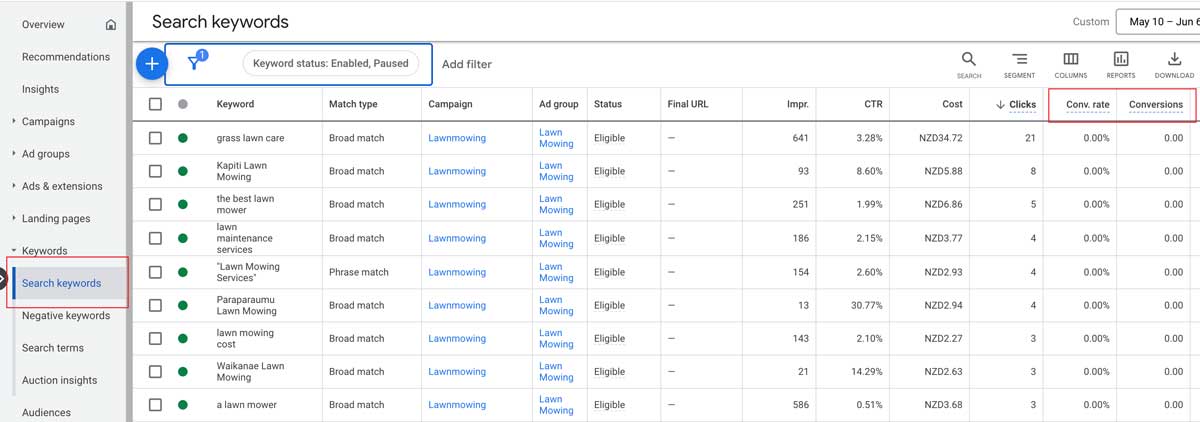
You can modify the report view to move the conversion columns (see note below on customising report columns). Trusting that your conversion are reporting correctly, it’s a good idea to collect high-converting keywords into their own list. You can then target them with specific ads, landing pages and increased budget.
3 – Converting ads
Look at the reports by ad, and then look at the best performing ad. Can you improve it even more? What about using the good points of that ad to improve your other ads?
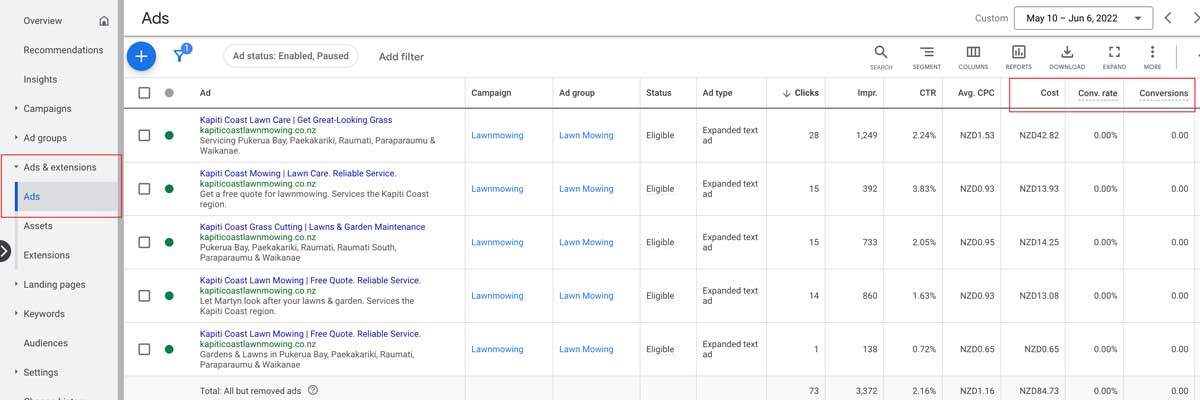
The idea with any ad campaign is to continually look for ways to refine and improve. If something, like an ad, is doing well, analyse for the reasons why, and then expand on that. Generally, Google will show the best performing ad by default, however you can improve the process by adding more headlines or descriptions based around your best performing ads, and give Google some better options to choose from.
4 – Check Google’s recommendations
Google’s machine learning is continually monitoring your account’s performance and will then automatically offer recommendations that can improve the effectiveness of your ad campaigns.
Now I want to emphasise here that you should only *check* the recommendations. Google makes it very easy to just apply all the recommendations with the click of a button – they do this because one of their primary goals is to get their advertisers (that’s you!) to spend as much as possible. Hence, they will suggest things like increasing your budget or maximum cost per click (CPC), and other things that, yes can increase your website traffic and potential sales, but will also increase your costs. It’s up to you to decide if it’s worth it to your business to spend the extra – sometimes it is, and sometimes it isn’t.

Personally, when it comes to increasing your budget I would suggest making sure your current process is tried and tested. Is everything working? Are you already having success in your market space? Is it just a case of extrapolating your current good performance with more ad spend? And while we’re all about affordable business websites here, we do know that sometimes you need to spend more to make more.
5 – Check the Auction Insights
Auction Insights is a useful report to get an idea of how your campaigns are performing in relation to other advertisers in your space. This can tell you a few things like are you in the right space (are the other advertisers unrelated to your business?) and if you need to pick up your ad game to get your ads higher.

You can also use it to identify top advertisers then look for their ads, and see what they’re doing that you aren’t!
Another tool you can use to check your performance with regard to the competition is the Google Ad Preview tool (under the Tools menu). This is a good way to see how your are ads are displaying (or not) for different keywords you’re interested in, without checking in an actual Google search (which can skew the ads you see, and can even cost you if you accidentally click on one of your ads).
How to modify your columns
Click the Columns icon at the top of a report to customise it to suit. Show or hide data you’re interested in and change the order so you can easily see the most important columns first, or next to relevant data so you can easily compare. Don’t forget to save your customised report view!
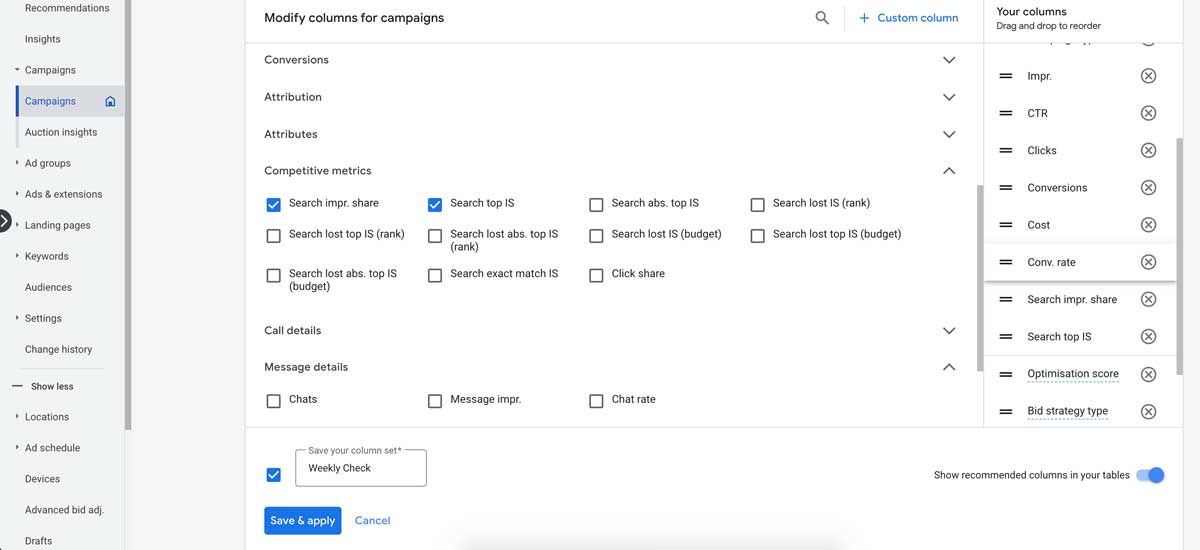
You can save different views for different campaigns that have different priorities such as impressions vs clicks.
Get the Google Ads app for checking your campaigns on the go
Visit the Google Play store or Apple App Store to download the official Google Ads app. It’s not as user friendly as a larger screen but definitely handy if you want to be checking your campaign on the go.
Keep your Google Ads account working hard for you
While Google offers a lot of automation tools that makes it easier to set and forget, remember what we mentioned earlier – one of Google’s primary objectives is to get you, as the advertiser, to spend as much as possible. It pays to check your account to make sure the money you’re spending on ad clicks is giving you a good return on your spend. If it isn’t, then get in touch and we can help you review and refine your account.